Camera Set Preview
Shows the camera image inside a Media Player control on the Form, instead of opening it full screen. Use it when you want to take a photo or read a barcode with the camera without leaving the Form.
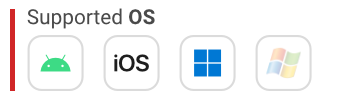
Action available for the following operating systems:
Parameters
- Preview Status - Shows or hides the camera preview. It can be one of:
- Show Preview
- Hide Preview
- Presentation Mode - Defines how the camera image fits inside the Media Player control. It can be one of:
- Proportionally Fit
- Proportionally Fill
- Media Player Control - The Media Player control where the camera preview is shown.
- Allow Photos - Defines if photos can be taken from the preview. It can be one of:
- Yes
- No
- Photo X Res <numeric> - The width resolution of the photos.
- Photo Y Res <numeric> - The height resolution of the photos.
- Allow Barcode Scan - Defines if barcodes can be read from the preview. It can be one of:
- Yes
- No
- Barcode Scan X Res <numeric> - The width resolution used to read barcodes.
- Barcode Scan Y Res <numeric> - The height resolution used to read barcodes.
info
To read barcodes with Allow Barcode Scan set to Yes:
- Call the Barcode Enable action before Camera Set Preview.
- Add the Barcode Scanned event to the Form. It is triggered each time a barcode is read from the camera image shown in the Media Player control.