Environment
This section presents the various graphic contexts of the Kalipso Designer environment. The different menus, options and the work area are displayed.
A standard view of Kalipso can be seen in the image below.
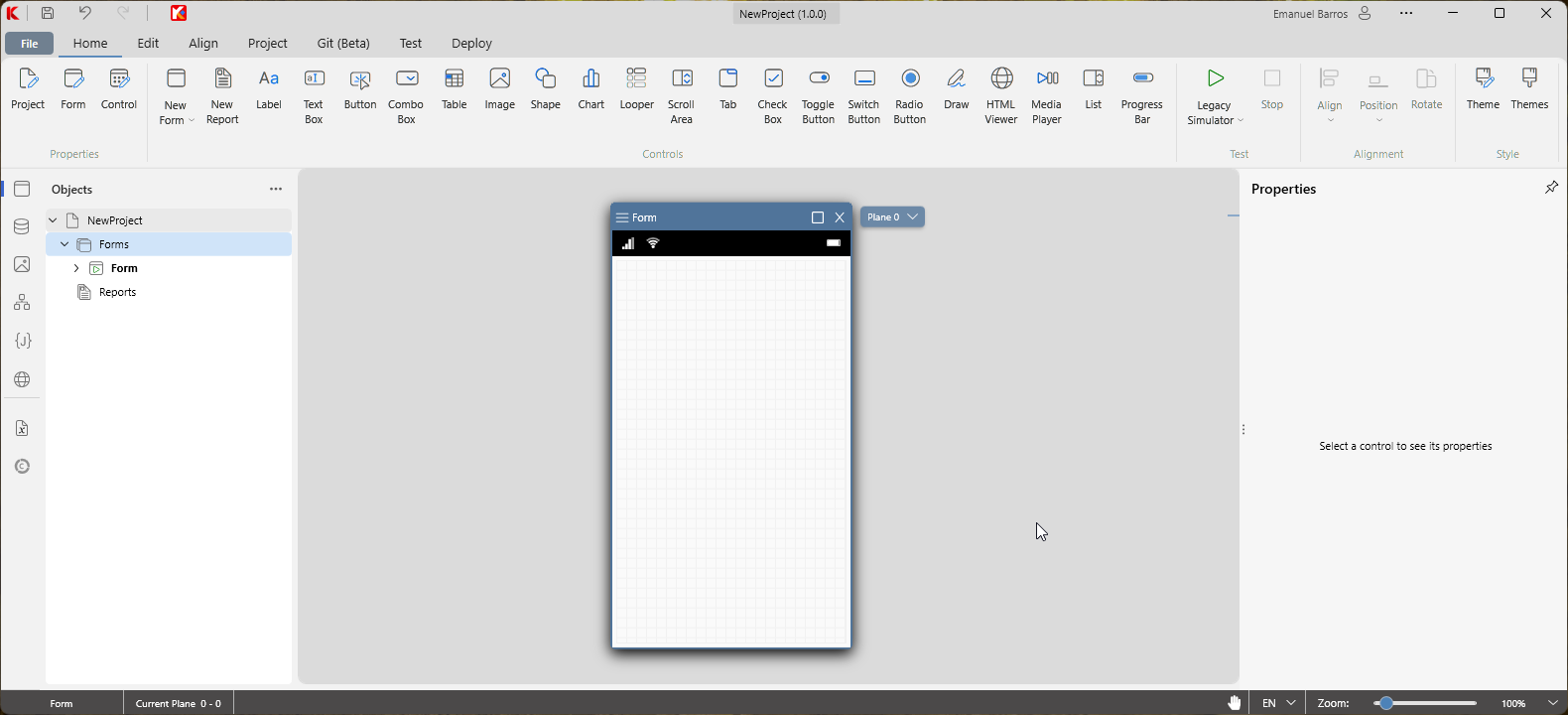
As you can see, you can access 6 different zones:
- The "File" Menu
- The Top Navigation Bar (Ribbon)
- Left Navigation Panel (Project Explorer)
- Design Area
- Right Properties Panel
- Bottom Status Bar
In addition to these options, when accessing the application, the system requests the introduction of access credentials that verify Kalipso's licensing. To learn more you can access the specific page of this step: