Add Contact
Adds a contact to Pocket Outlook.
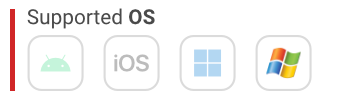
Action available for the following operating systems:
Parameters
- Contact's OID <string> - The Outlook ID of the contact that the user wants to add.
- Property <string> - The property that the user wants to set. Please see in the notes section the possible values for this parameter.
- Target <unquoted string> - The control or variable that loads the contact's property that the user wants to set.
Notes
The possible values to parameter Property for the Outlook contacts are:
- "Birthday" - The birth day for the contact.
- "Anniversary" - The weeding anniversary date for the contact.
- "BusinessFaxNumber" - The business fax number for the contact.
- "CompanyName" - The company name for the contact.
- "Department" - The department name for the contact.
- "Email1Adress" - The first email address for the contact.
- "MobileTelephoneNumber" - The mobile or cellular telephone number for the contact.
- "OfficeLocation" - The office location for the contact.
- "PagerNumber" - The pager number for the contact.
- "BusinessTelephoneNumber" - The business telephone number for the contact.
- "JobTitle" - The job title for the contact.
- "HomeTelephoneNumber" - The home telephone number for the contact.
- "Email2Address" - The second email address for the contact.
- "Spouse" - The name of Contact's spouse/partner.
- "Email3Address" - The third email address for the contact.
- "Home2TelephoneNumber" - The second telephone number for the contact.
- "HomeFaxNumber" - The home fax number for the contact.
- "CarTelephoneNumber" - The car phone number for the contact.
- "AssistantName" - The name of the Contact's Assistant.
- "AssistantTelephoneNumber" - The phone number for the Contact's Assistant.
- "Children" - The names of the contact's children.
- "Categories" - The categories for the contact.
- "WebPage" - The web page for the contact.
- "Business2TelephoneNumber" - The second telephone number for the contact.
- "Title" - The job title for the contact.
- "FirstName" - The first name for the contact.
- "MiddleName" - The middle name for the contact.
- "LastName" - The last name for the contact.
- "Suffix" - The suffix for the contact's name.
- "HomeAddressStreet" - The home street address for the contact.
- "HomeAddressCity" - The home city for the contact.
- "HomeAddressState" - The home state, department or province for the contact.
- "HomeAddressPostalCode" - The home ZIP or Postal Code for the contact.
- "HomeAddressCountry" - The home country/region for the contact.
- "OtherAddressStreet" - The alternative street address for the contact.
- "OtherAddressCity" - The alternative city address for the contact.
- "OtherAddressState" - The alternative state, department or province for the contact.
- "OtherAddressPostalCode" - The alternative ZIP or Postal Code for the contact.
- "OtherAddressCountry" - The alternative country/region for the contact.
- "BusinessAddressStreet" - The business street address for the contact.
- "BusinessAddressCity" - The business city address for the contact.
- "BusinessAddressState" - The business state, department or province for the contact.
- "BusinessAddressPostalCode" - The business ZIP or Postal Code for the contact.
- "BusinessAddressCountry" - The business country/region for the contact.
- "RadioTelephoneNumber" - The radio telephone number for the contact.
- "FileAs" - The filling string for the contact.
- "Body" - The notes for the contact.
- "YomiCompanyName" - The Japanese phonetic rendering (Yomigana) of the company name for the contact.
- "YomiFirstName" - The Japanese phonetic rendering (Yomigana) of the first name for the contact.
- "YomiLastName" - The Japanese phonetic rendering (Yomigana) of the last name for the contact.