Get Task List
Gets a Outlook Task's ID List for a specified Pocket Outlook.
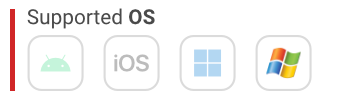
Action available for the following operating systems:
Parameters
General
- Mode <radiobox> - Selects the mode of filter creation. The options available are:
- Manual - to manually describe a filter.
- All (AND) - to describe one or more filters with assistance, where the result must match all the Filters.
- Any (OR) - to describe one or more filters with assistance, where the result must match at least one of the Filters.
Filters
- Filter <string> - A string that represents the filter to use (Example: "[CompanyName] =" + Charact(34) + "SysDev" + Charact(34)).
Sorting
- Sort Property <string> - The sort property that was used to sort the result of this action. Please see in notes section the possible values for this parameter.
- Sort Order <unquoted string> - The sort order of the result of this action. The possible values are: Asc, Desc or dynamic.
Targets
- Task's OIDs List <unquoted string> - The control or variable that saves the Outlook Task's IDs list for the given contact.
- Number of Task's OIDs <unquoted string> - The control or variable that saves the number of Outlook Task's IDs for the given contact.
- Items Separator <string> - The string that separates the items in the returned list.
Notes
The possible values to parameter Property for the Outlook contacts are:
- Body
- Complete
- Categories
- DateCompleted
- DueDate
- Importance
- IsRecurring
- ReminderOptions
- ReminderSet
- ReminderSoundFile
- ReminderTime
- Sensivity
- StartDate
- Subject
The possible values for parameter Operator are:
- "<" - lower than.
- "<=" - lower than or equal to.
- ">" - higher than.
- ">=" - higher than or equal to.
- "=" - equal to.
- "<>" - different from.