Zebra RFID Connect
Connect to a UHF Zebra Reader.
Action available for the following operating systems:
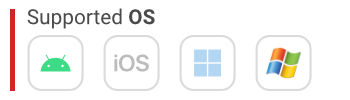
Parameters
- Address <string> - The IP adress of the UHF Zebra Reader that the user wants to connect.
- Port <numeric> - The port for the defined UHF Zebra Reader.
On Android 12 (API 31) and above, the Bluetooth permissions must be granted before connecting. Call the Request permission action twice before ZebraRFIDConnect, once for Bluetooth Scan and once for Bluetooth Connect.

Zebra RFID SDK may not work correctly on devices prior to Android 8.
Zebra RFID SDK states only support for Android 8.0 or higher.
On Android, if the RFID device also has Barcode a call to BarcodeConnect or ZebraScanConnect on non Zebra Android devices also connects to the Barcode of the RFID device.
Note however that this integration is very limited, it only supports connect/disconnect and enable/disable actions.
When connecting to an RFID device that does not have the region configured, the connect will fail.
In this case, after a failed connection, you can check the error code and if it is K_ERROR_READER_NOT_CONFIGURED (-918), you can then make a call to ZebraRFIDGetConfiguration with only the option for retrieving the "Region Table" and then call ZebraRFIDSetConfiguration to set the Region Index. After doing this, the next call to ZebraRFIDConnect will use that region to configure and establish the connection.
Use If(ErrorCode=(-918)) to check for this error condition.