Zebra RFID GPIO
This action is use to manage the General Purpose Input/Output ports.
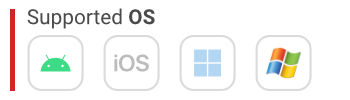
Action available for the following operating systems:
Parameters
- Operation Type - Set GPI State - Allow to enable or disable a general purpose input port (GPI).
- Port Number <numeric> - The input port number to set the state.
- Enabled <string> - If the speciifyed input port is to be enabled or disabled.
- Operation Type - Get GPI State - Allow to determine if a general purpose input port (GPI) is enabled or disabled and its current state (low/high).
- Port Number <numeric> - The input port number to set the state.
- Target Enabled <numeric> - Will get 1 if this port is currently enabled and 0 if it is disabled.
- Target State<numeric> - Will get 1 if this port is currenytly high (true) and 0 if it is low (false).
- Operation Type - Get GPI Event Info - This should be used inside the event "RFID GPI State" and is triggered when an enabled GPI port state changes from low to high or vice-versa.
- Target Port Number <numeric> - The input port number that triggered this event due to a state change.
- Target State <numeric> - The new state of the GPI port.
- Operation Type - Set GPO State - This allows to change the sate of a general purpose output port (GPO) to high (true) or low (false).
- Port Number <numeric> - The input port number to set the state.
- State <numeric> - The new state for the output port o-Low(false) or 1-High(true).
- Operation Type - Get GPO State - This allows to get the current sate of a general purpose output port (GPO).
- Port Number <numeric> - The output port number to get the state.
- State <numeric> - This will get the current state of the output port to 0 if low(false) or 1 if high(true).