File Menu
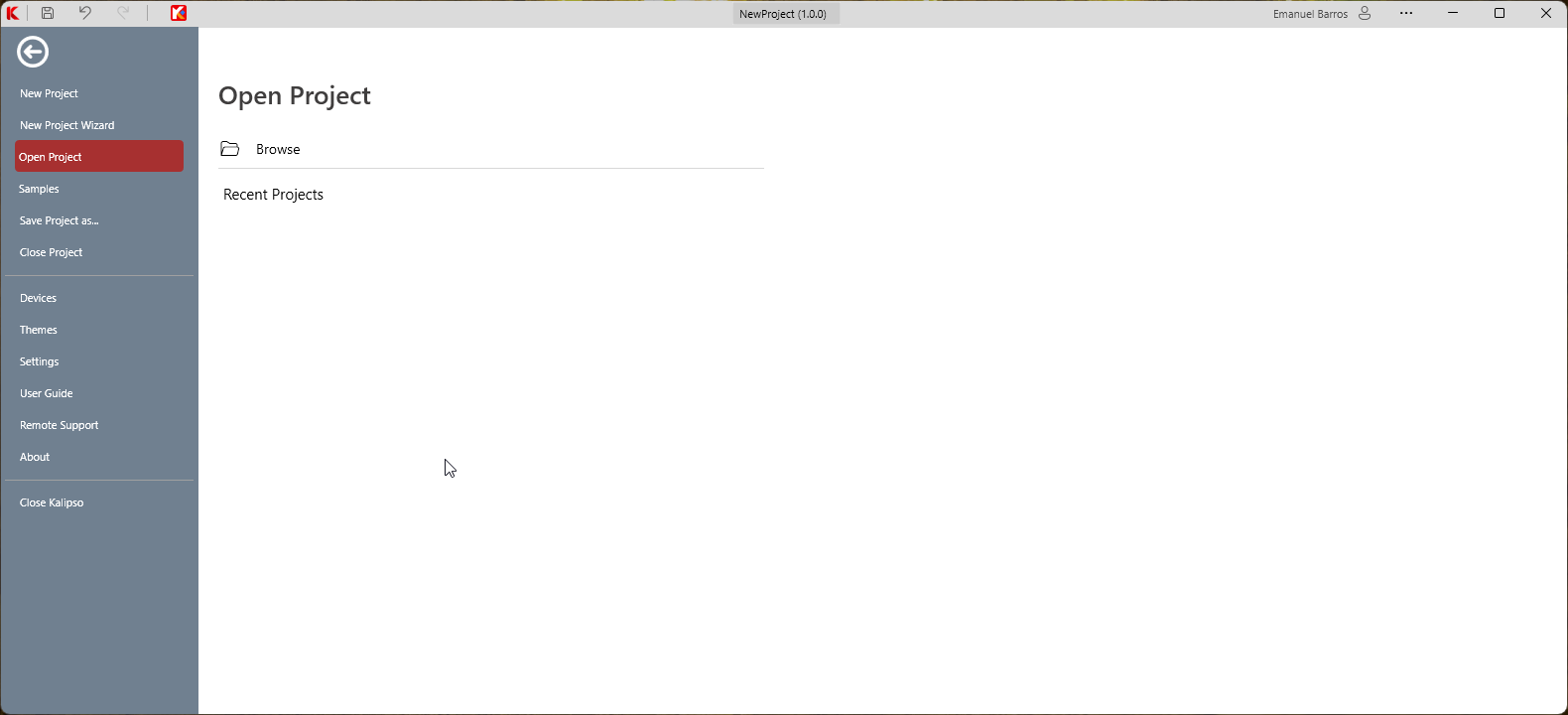
When you click on the "File" option, the following screen appears:
info
By default the file menu opens in "Open Project"
At the top left of the window is an arrow to return to the main screen.
- New Project - Creates a new project
- New Project Wizard - Creates a new project on a wizard mode.
- Open Project - Opens a project from the list.
- Samples - Open Kalipso website Sample page.
- Save Project as... - Save the active project with another name or folder.
- Close Project - Closes the active project.
- Devices - Area where the mobile device to be used in the application to be developed in Kalipso is chosen and configured. For more information click here.
- Themes- Area where the Themes to be used in the application developed in Kalipso are chosen and configured. For more information click here.
- Settings - Area where Kalipso settings are configured. For more information click here.
- User Guide - Access this online Kalipso documentation.
- Remote Support - Opens an external application for remote support.
- About - Area where information is obtained about the licensing (name, license number, installed version, etc.) and about what is new in the installed version of Kalipso.
- Close Kalipso - Close the application and exit.