Find
The Find tool allows you to search for elements in your project and identify where they are being used (forms, reports, actions, etc.).
Opening the Find Panel
To open the Find panel, use one of these methods:
- Click on the menu Edit > Find
- Press the shortcut Ctrl + F
- Click the Check Usage button where available in the interface
The Find panel appears at the bottom of the screen. You can detach it to use as a floating window.
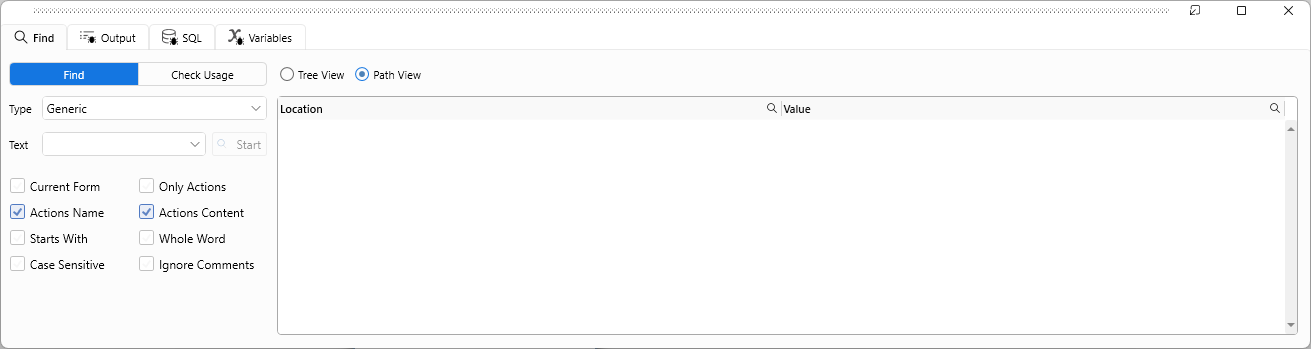
Find panel
Find Tab
The Find tab allows you to search for text across your entire project.
Type
Select the type of element to search for:
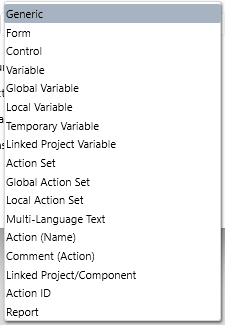
Search types
- Generic - Search across all element types
- Form - Search for forms by name
- Control - Search for controls
- Variable - Search for any variable type
- Global Variable - Search for global variables only
- Local Variable - Search for local variables only
- Temporary Variable - Search for temporary variables only
- Linked Project Variable - Search for variables from linked projects
- Action Set - Search for any action set
- Global Action Set - Search for global action sets only
- Local Action Set - Search for local action sets only
- Multi-Language Text - Search for multilingual text entries
- Action (Name) - Search for actions by name
- Comment (Action) - Search within action comments
- Linked Project/Component - Search for linked projects or components
- Action ID - Search for actions by their ID
- Report - Search for reports
Text
Enter the search text in the Text field and click Start to begin the search.
Search Filters
Use the filters to refine your search results:
- Current Form - Limit the search to the currently active form
- Actions Name - Search within action names
- Starts With - Match elements that start with the search text
- Case Sensitive - Match the exact case of the search text
- Only Actions - Search only within actions
- Actions Content - Search within the content of actions
- Whole Word - Match the complete word only (not partial matches)
- Ignore Comments - Exclude matches found in comments
Check Usage Tab
The Check Usage tab helps you find where a specific element is being used throughout your project.
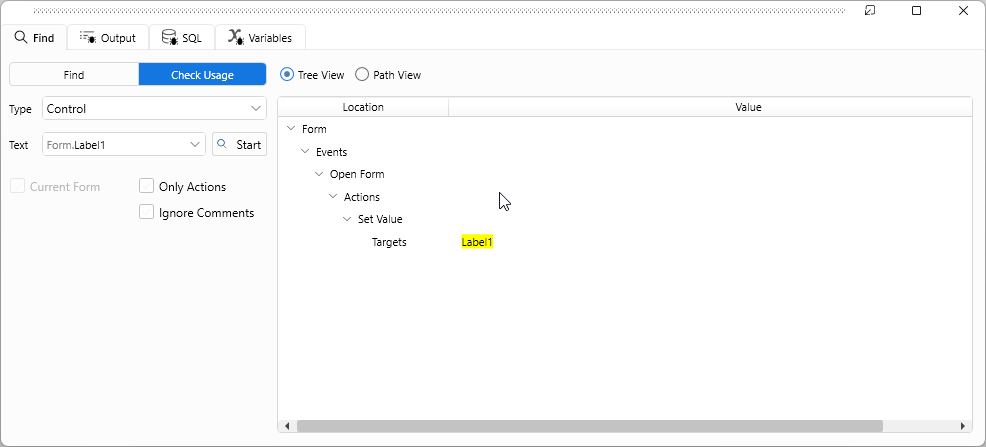
Check Usage - showing where Label1 is used
- Select the Type of element (Control, Variable, Action Set, etc.)
- Select or enter the specific element in the Text dropdown
- Click Start to find all usages
The results show where the element is referenced, including forms, events, and actions.
Result Views
Choose how to display the search results:
- Tree View - Results displayed in a hierarchical tree structure
- Path View - Results displayed as a flat list with full paths
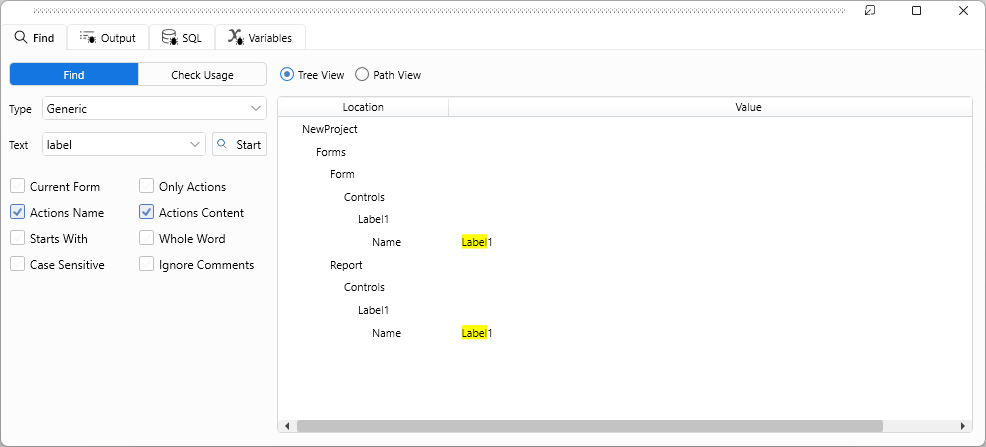
Tree View - hierarchical structure
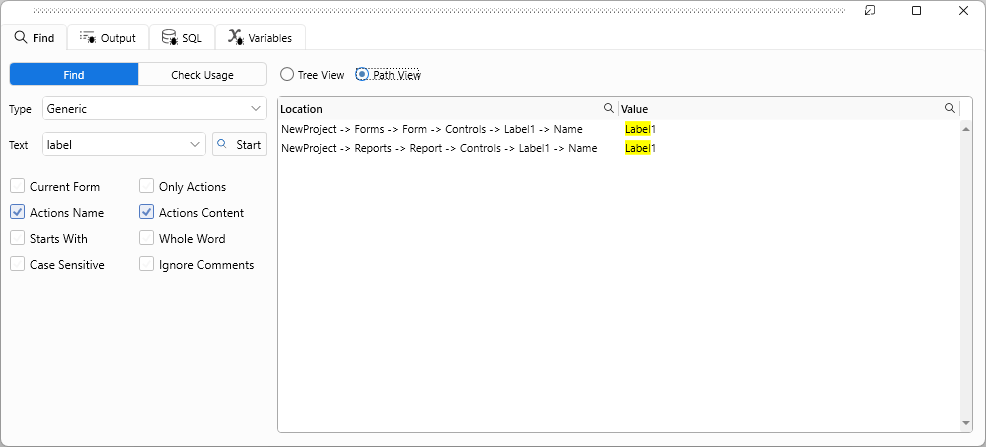
Path View - full path display
Double-click on any result to navigate directly to that location in your project.