Theme
In this tab, you choose the theme of the application under development.
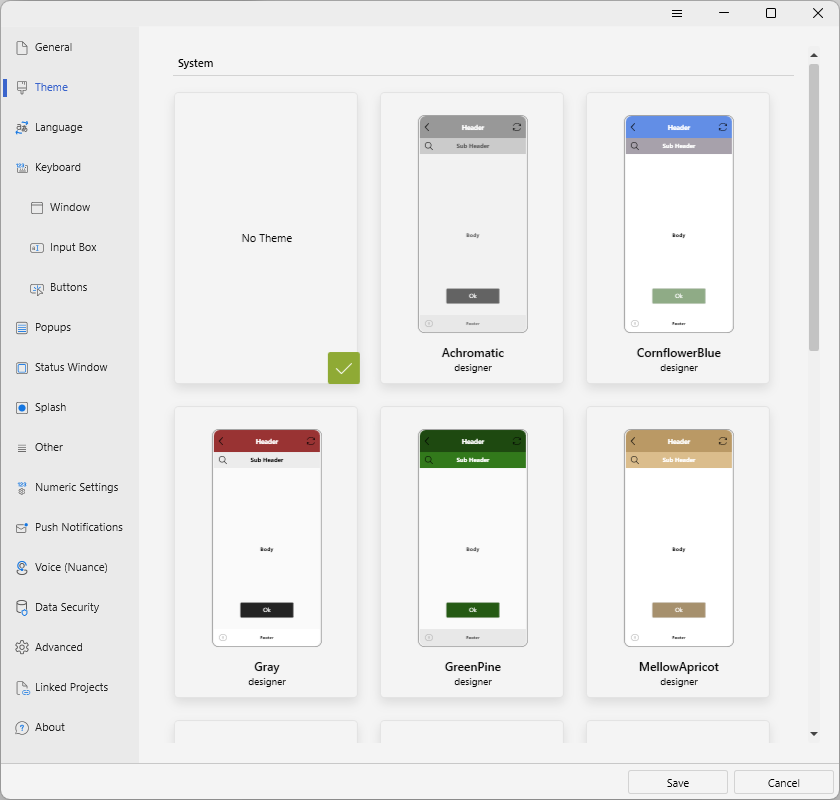
When creating the project, it is possible to choose a theme for the application. In this tab, you can change it to any of the available themes, such as Achromatic, CornflowerBlue, Gray, GreenPine or MellowApricot. Each theme shows a preview of the header, sub header, body, button and footer. Click the theme you want to apply it to the project. The selected theme is marked with a check.
The themes are shown in groups:
- System - The themes shipped with Kalipso.
- User - The themes you create. This group only appears, at the end of the list, after you create a theme.
If you don't want a theme in your project, choose No Theme.