Image
An Image is used to display image files.
Properties
Through the window that opens the option presents two tabs: general and content.
Tab - General
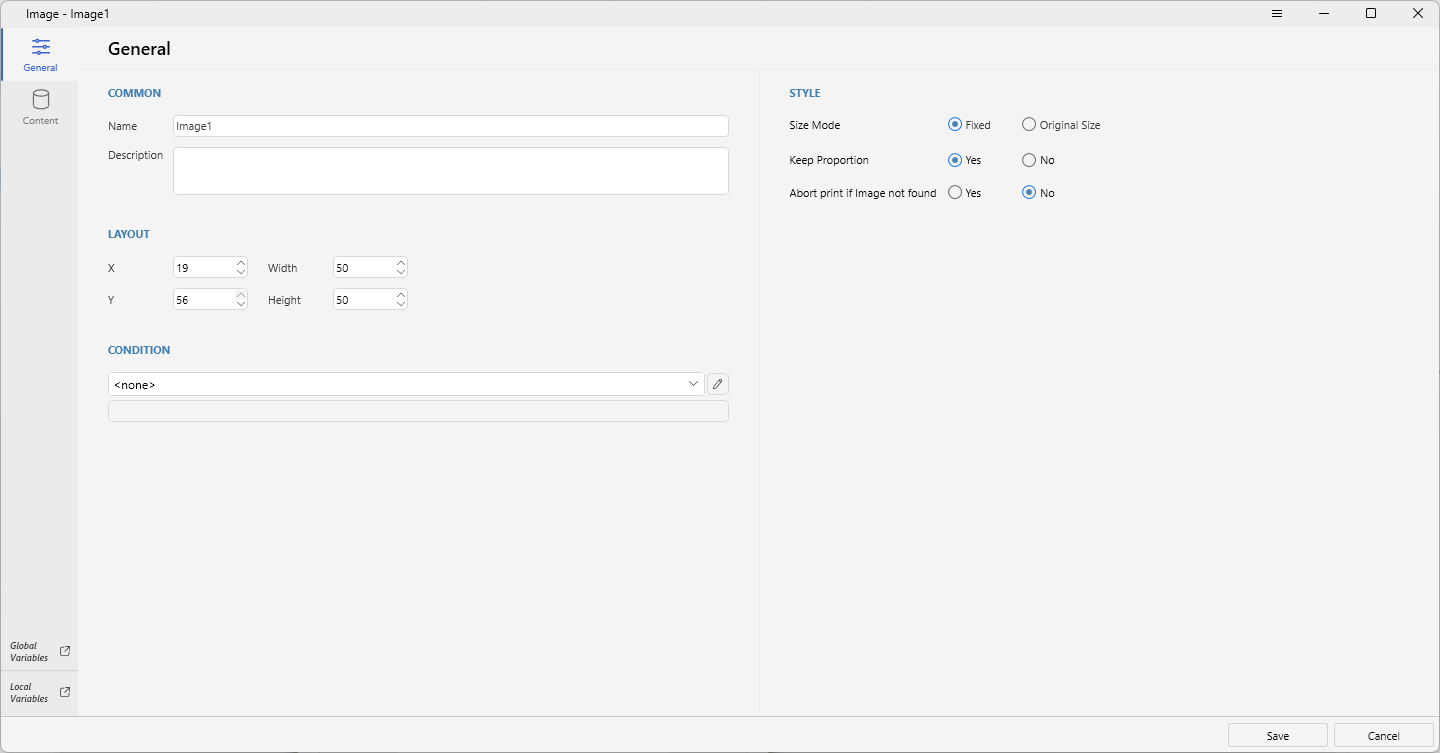
The available options are:
Common
- Name - Name of the Control. This Name will be used to identify the Control throughout the Project. The name of the Control can only contain letters, digits or underscore (_).
- Description - Description of the Control. This Description is for your information only, Kalipso does nothing with it.
Layout
- X - X position of the Control
- Y - Y position of the Control.
- Width - Width of the Control.
- Height - Height of the Control.
Condition
- Condition - Condition to be verified before displaying the control.
When clicked, a list of conditions already created is accessed. However, you can add more by clicking on the icon on the right. Then a new window appears:
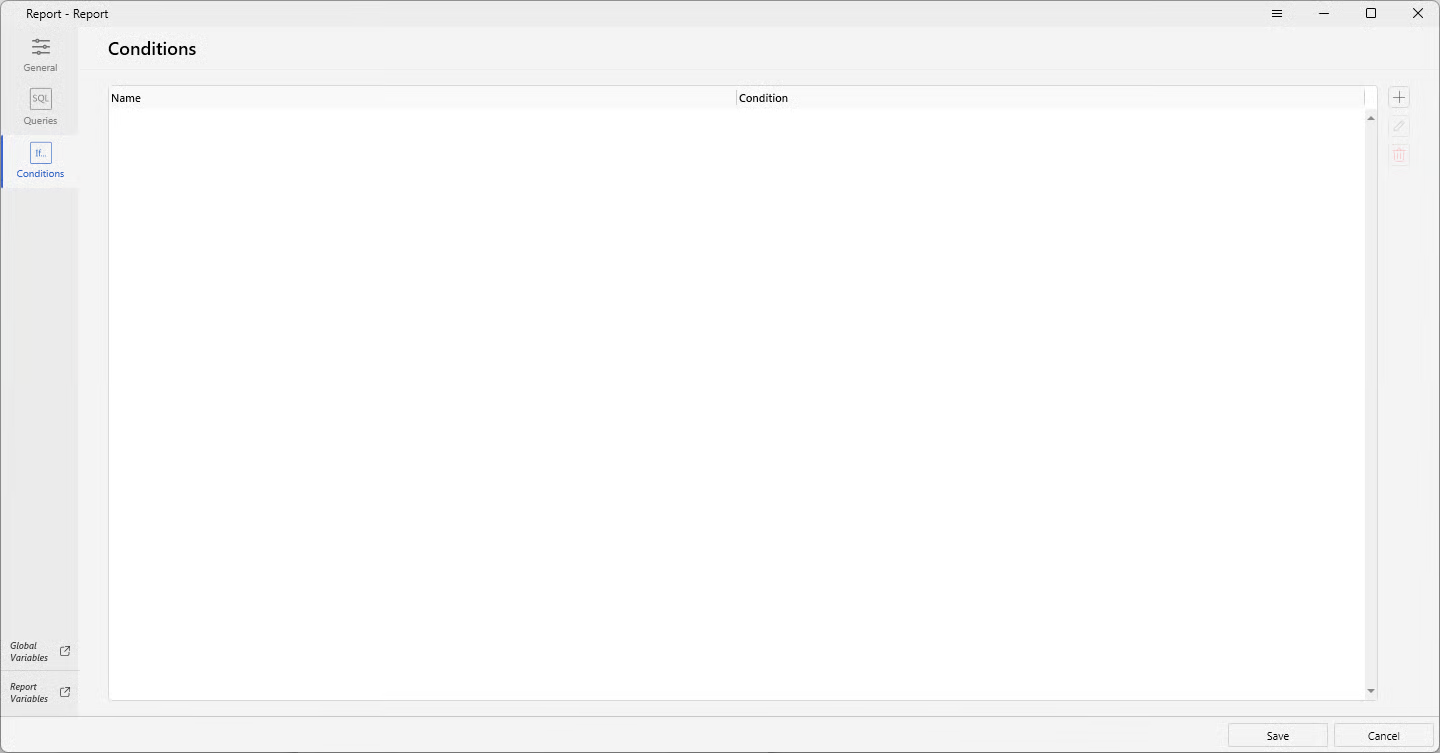
In the table are the conditions already created and on the right side new conditions can be added or edited.
Style
- Size Mode - Indicates if the width and height settings should be respected (Fixed) or if they should be ignore and use the image original dimensions (Original Size).
- Keep Proportion - When resizing the image to the specified width and height, if this option is set, then the image will not be distorted and a proportional resize will be done so the image fits the specified dimensions.
- Abort print if image not found - Aborts the printing process when the image is not found.
Tab - Content
After the initial settings in the general tab, you must access the content tab to indicate the data source for the image. Thus:
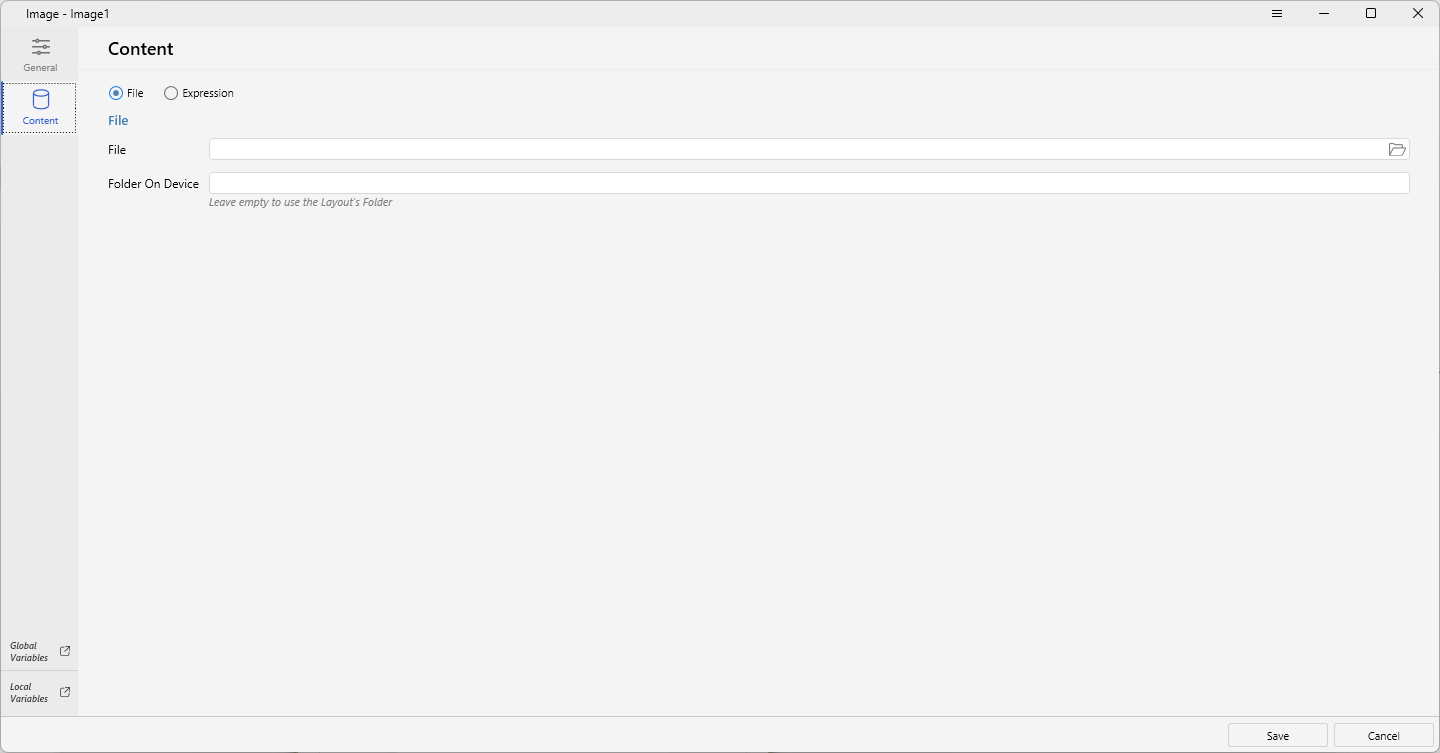
The Image Control can have the content from a well defined file name and location or an expression can be used to specify the file to be used.
When using a File (as shown in the illustrative image above):
- File - The file's path.
- Folder on Device - Leave empty to use Layout's folder of fill with the path if the image is in a different location.
When using an expression:
- Expression - The image file will be obtained from an expression.
This allows to use keywords like PFOLDER, DFOLDER and expressions available when using a string expression.