Deploy
Provides access to Test and Deployment of your Project to several platforms. It also gives access to launch MIS Communicator.
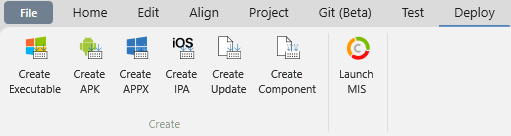
- Create Executable - Allows you to create your app's Win32 executable (.exe) for Windows Desktop.
- Create Folder - Allows you to create a deployed folder of your application for Win32 Windows Desktop deployment.
- Create APPX - Allows you to create your app's package for Windows 10/11
- Create APK - Allows you to create your application's Android installation package.
- Create IPA - Allows you to create your application's iOS package generation scripts folder.
- Create Upgrade - Allows you to create your application's update file which can be used to dynamically update the app on the device in runtime. See more information here.
- Create Component - Allows you to create a Component, which is a file that can be linked to another Project to provide access to the selected features. See more information here.
- Launch MIS - Opens MIS Communicator.
tip
To learn more about the MIS Communicator click here