Android USB
Testing your project in an Android device has changed a lot in recent Kalipso Studio versions.
Now you can debug directly from your Android in your PC. And we add new options to optimize and test your project like Hot Reload and Call Stack.
Test
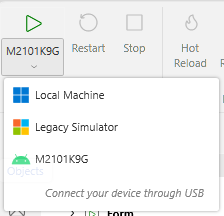
After you connect your Android device his name will show up. Just click in your Android device name to test your project.
If your Android device don't show up:
- Enable Development mode
- Inside Development mode menu enable USB Debugging
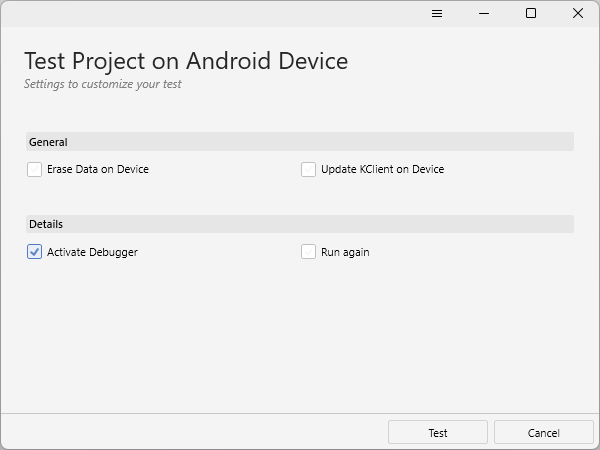
- Erase Data on Simulator - If you check this option, it means that before integrating your Project, Kalipso will clear it from the Simulator as if never existed, including data.
- Update KClient On Device - Checking this option, you'll be forcing the update of Kalipso framework on the Device.
- Run Again - allow to run the project again without saving or making a new deployment. Useful if there was any change to the project and it's faster to launch.
- Activate Debugger - allow to check all actions,
Debug
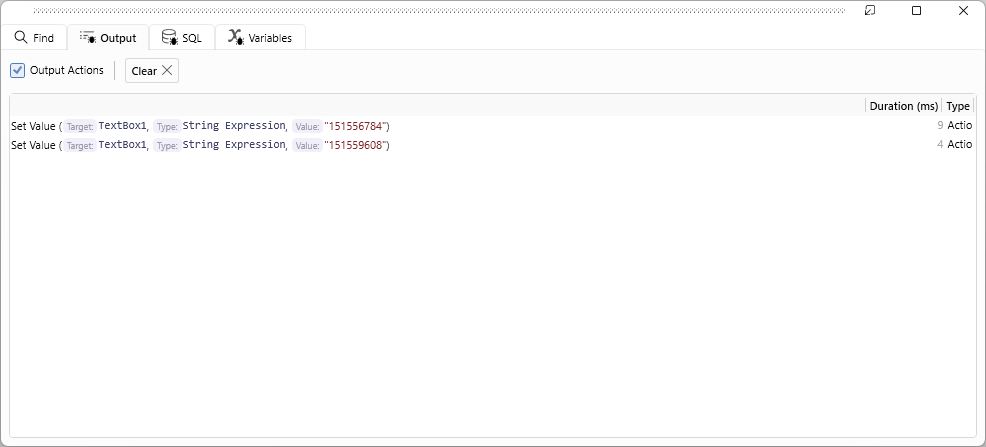
If you activate Debugger you get a new window. With 3 new options:
Output - where you can trance all actions in your Android Device
SQL - where you can check and query all internal database
Variables - where you can check all Global and Local variables
Breakpoint
If you use the action Breakpoint in your code you will see a new window "Call Stack" with several options:
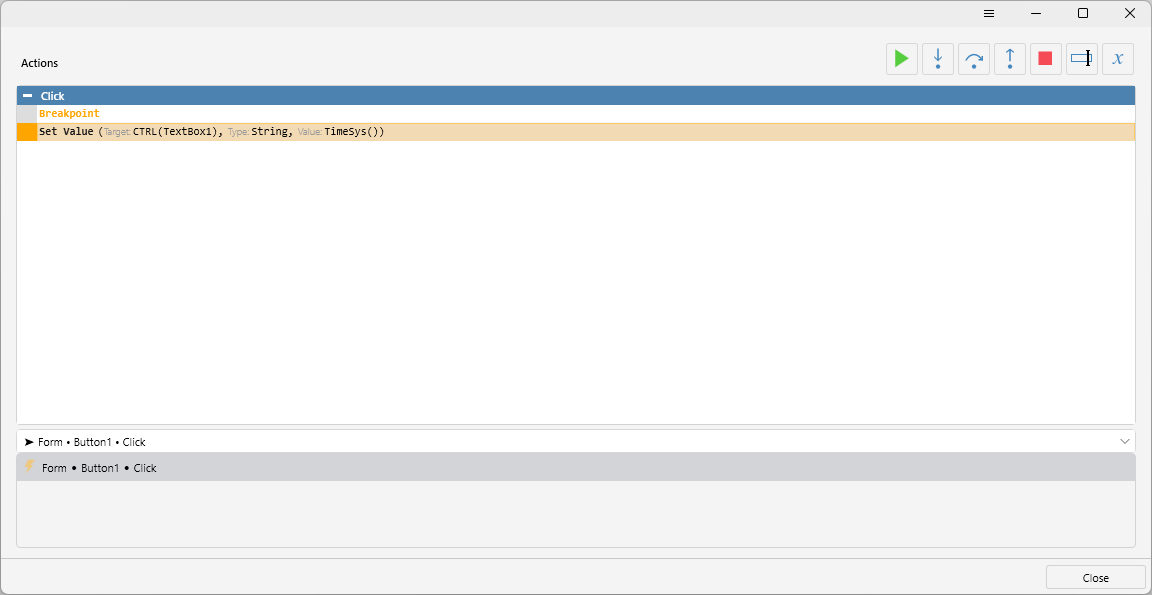
More details in Call Stack
Hot Reload

Hot Reload - Hot Reload will update the project, actions(code) and controls(UI) without the necessity to reboot the project. This way you don't need to navigate the project from the start again.
Hot Reload UI - Hot reload UI will update the project interface without leaving the form/plane where you are in. Useful if you want to test new UI changes.
Call Stack
Call Stack is the window that show when you have a breakpoint.

From left to right:
- Continue - Continue the project normally
- Step Into -
- Step Over -
- Step Out -
- Stop - Stop the project
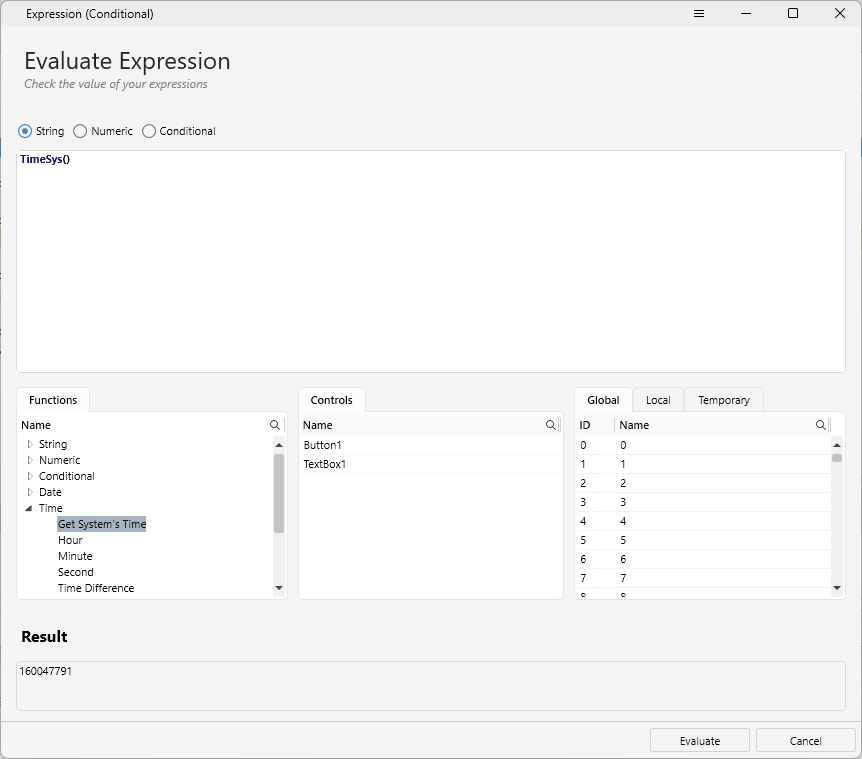
- Evaluate expression - Check next image. This allow you to test an expression (String,Numeric/Condition) with values from Functions, Controls or Variables. This wil not change your code. Is just for evaluating.
- Variables - show Global and Local Variables