Debugger
Testing and debugging is an important step in any application — the clearest way to find a problem is checking what the app is doing line by line. Kalipso has always shipped a Win32 debugger and that stays unchanged. Kalipso 6.1 adds a new debugger that also runs on Android, iOS and Windows 10/11.
To enable it, tick Activate Debugger on the Test Project dialog (Test menu) before launching the test.
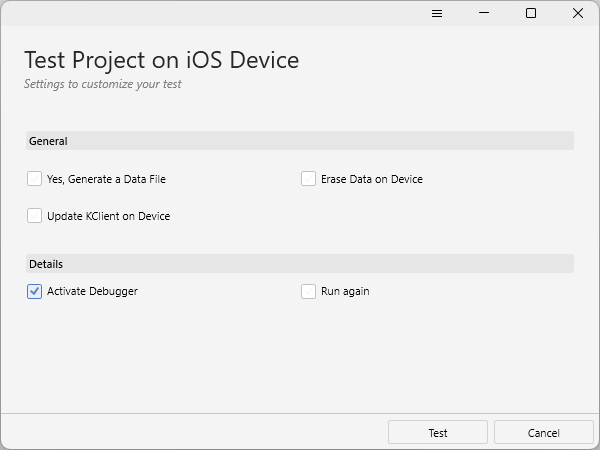
When the test starts, the Debugger window opens with three working tabs: Output, SQL and Variables.
Output
The Output tab logs every action executed by the app, in order, with its parameters and elapsed time in milliseconds. Errors are shown in red so they're easy to spot.
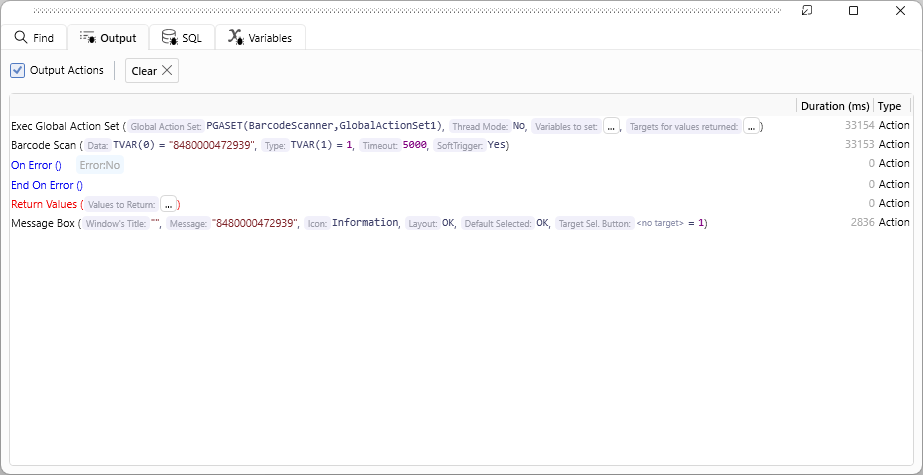
Tick Output Actions to record actions live, or click Clear to empty the list.
SQL
Run ad-hoc queries against any Local or Remote database profile of the running project — useful for inspecting on-device data without leaving Kalipso.
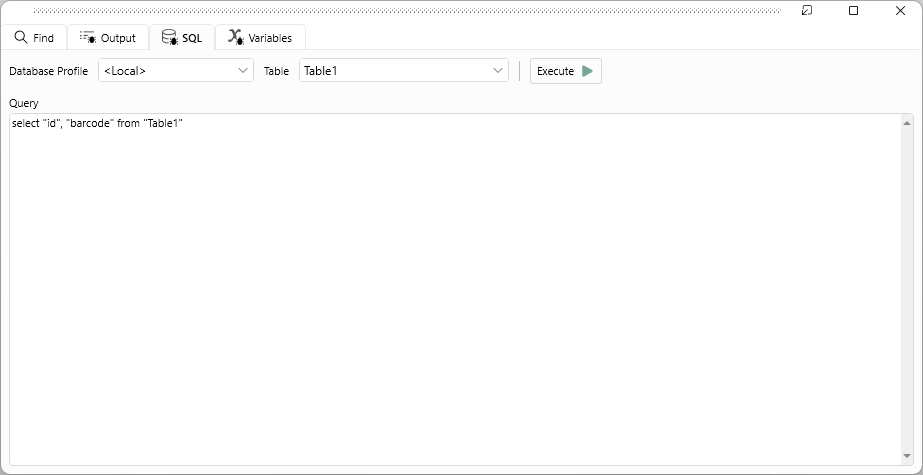
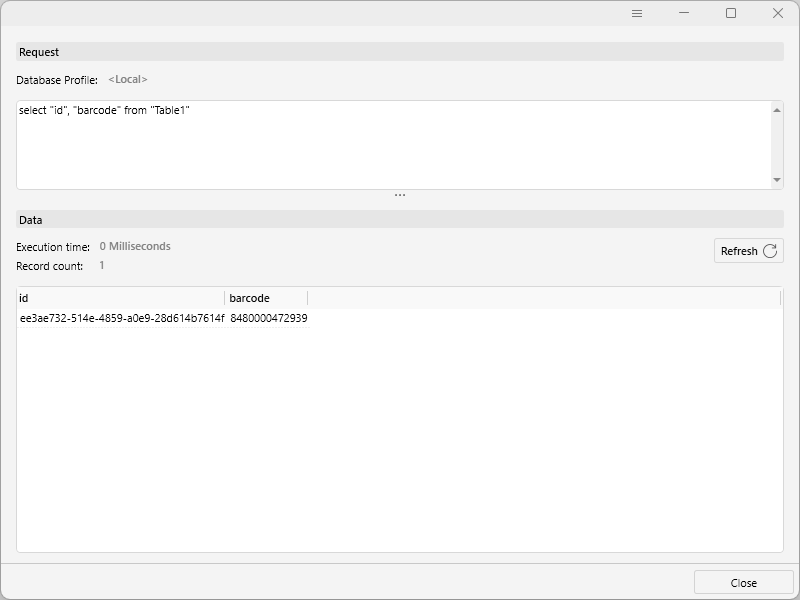
Pick a Database Profile and (optionally) a Table, type the query and press Execute. The result opens in a separate window with execution time and record count.
Variables
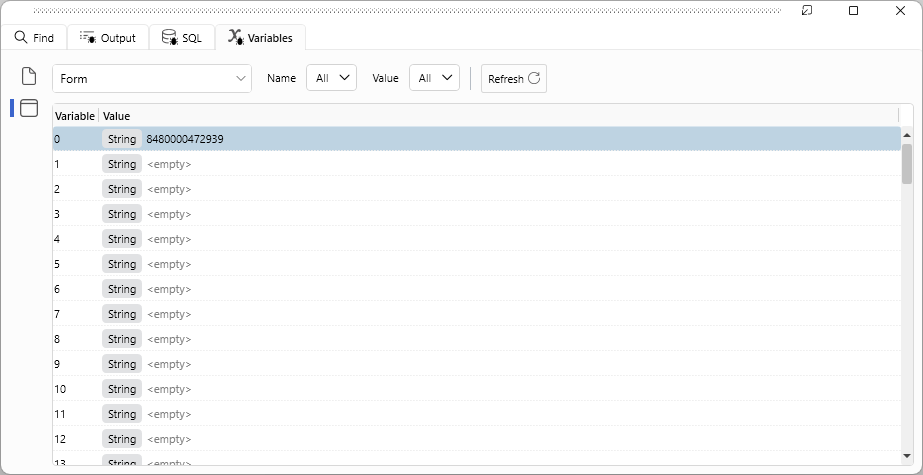
The Variables tab lists Global and Local variables together with their current values. Filter by scope (Form), Name or Value, and press Refresh to pull the latest values from the device.
Temporary variables aren't listed here — their values appear inline next to each action in the Output tab.