Paths
In this tab, the path settings are configured, as shown in the image.
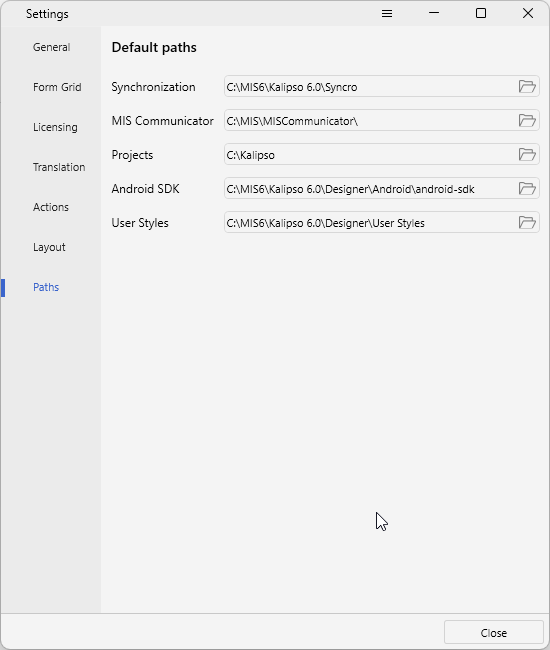
- Synchronization- The Synchronization path will be used by Kalipso in the Generate Project, Generate Data File and Receive Data.
- MIS Communicator - The MIS Communicator path is used by Kalipso to configure MIS Communicator. You should specify the path where MIS Communicator is installed.
- Projects - Here you can define the default path where new projects are created.
- Android SDK - This is where the Android SDK path is installed. Kalipso Designer uses this path for testing applications on Android Devices. Kalipso installation already includes a streamlined version of the Android SDK and all the files needed to generate APKs. Change this path if you want to use other Android SDK installation.
- User Styles - Here you can define the default path where the styles are stored.
tip
To learn more about MIS Communicator click here.